Write a handler function, build a worker image, create an endpoint, and send your first request.
For an even faster start, clone or download the worker-basic repository for a pre-configured template for building and deploying Serverless workers. After cloning the repository, skip to step 6 of this tutorial to deploy and test the endpoint.
import runpodimport time def handler(event):# This function processes incoming requests to your Serverless endpoint.## Args:# event (dict): Contains the input data and request metadata# # Returns:# Any: The result to be returned to the client # Extract input data print(f"Worker Start") input = event['input'] prompt = input.get('prompt') seconds = input.get('seconds', 0) print(f"Received prompt: {prompt}") print(f"Sleeping for {seconds} seconds...") # You can replace this sleep call with your own Python code time.sleep(seconds) return prompt # Start the Serverless function when the script is runif __name__ == '__main__': runpod.serverless.start({'handler': handler })
This is a bare-bones handler that processes a JSON object and outputs a prompt string contained in the input object.
You can replace the time.sleep(seconds) call with your own Python code for generating images, text, or running any AI/ML workload.
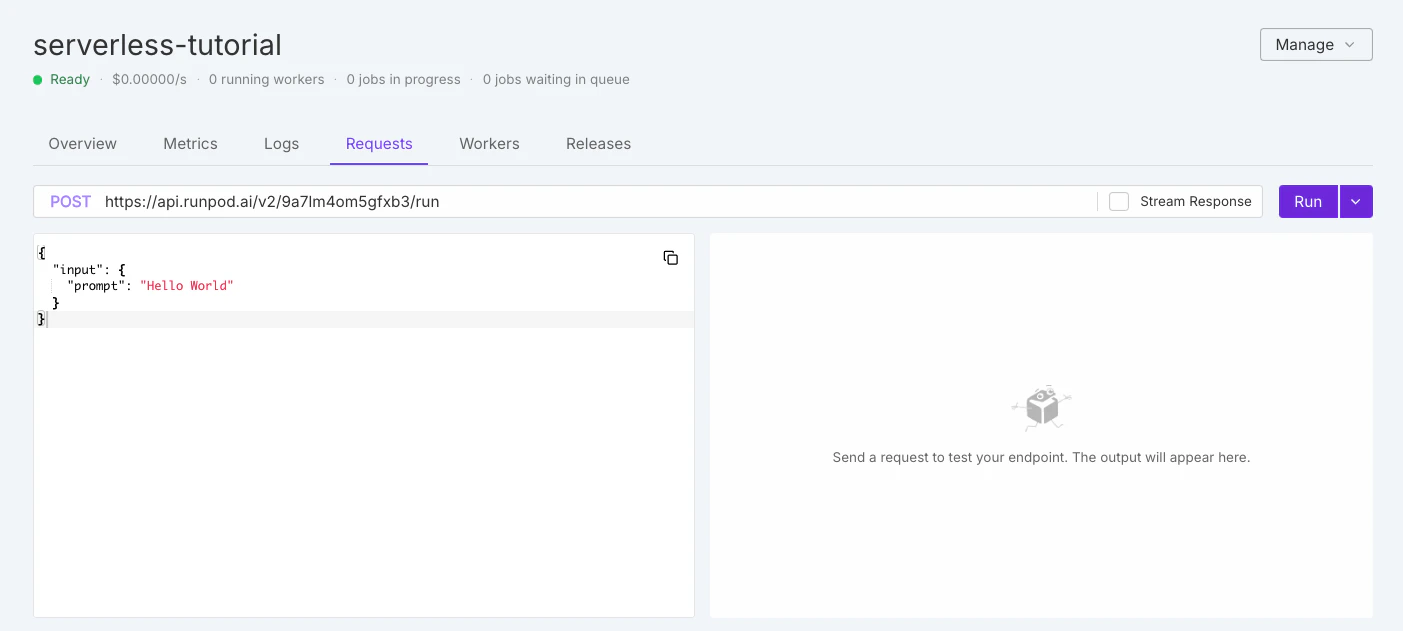
To test your endpoint, click the Requests tab in the endpoint detail page:
On the left you should see the default test request:
Copy
{ "input": { "prompt": "Hello World" }}
Leave the default input as is and click Run. The system will take a few minutes to initialize your workers.When the workers finish processing your request, you should see output on the right side of the page similar to this: